
Technology & Digital Experience
Technology & Digital Experience
1. How Does a Customer Interact with Technology When Dealing with a Company?
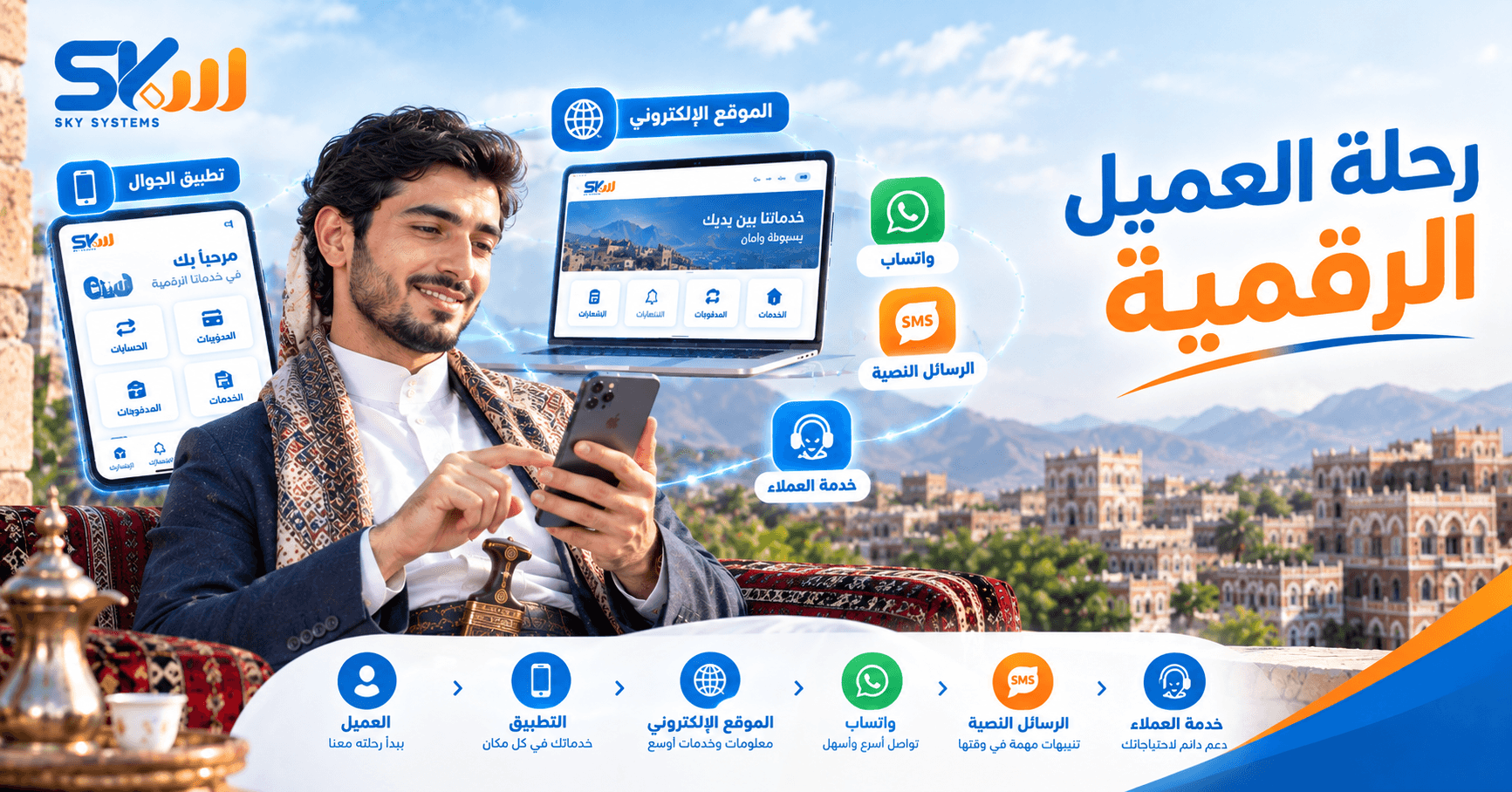
Customers interact with technology at almost every stage. They may visit the company’s website, use an application, send a message through WhatsApp, receive an SMS, get a notification, or use a digital service without needing to visit the company’s premises.
Every interaction point becomes part of the customer’s digital experience.
That is why simply having technology in place is not enough. It should be clear, easy, fast, and suitable for the way customers use the service.
2. Is an Application Just an Interface Used by the Customer?
An application is the interface customers interact with, but it represents more than just a screen.
A customer may use the application to log in, complete a transaction, track a request, view information, or receive a notification.
Every step should be clear, and the customer should understand what to do and what happened after completing an action.
A good application makes the service easier—not simply a way to display information.
3. When Does a Company Need an application?
A company needs an application when it has services or processes that customers can benefit from accessing or tracking regularly through their phones.
Examples include tracking orders, managing accounts, accessing certain services, or receiving notifications.
However, having an application simply to keep up with the market is not enough.
What matters most is having a real use case and clear value for the customer.
4. When Is a Website the Right Solution?
A website is appropriate when a company needs to present its services, information, or products, receive orders, or communicate with customers online.
A website may be the customer’s first point of contact with the company. That is why information should be clear, navigation should be easy, and the services offered should be easy to understand.
A successful website does more than simply exist. It helps customers find what they need with ease.
5. Is WhatsApp Just a Way to Send and Receive Messages?
WhatsApp is no longer necessarily just a manual conversation between a customer and a customer service employee.
It can be used as an integrated digital channel for communication, receiving requests, answering frequently asked questions, sending notifications, tracking certain services, and connecting with company systems when appropriate.
In this way, WhatsApp becomes part of the customer journey with the company rather than simply a messaging inbox.
6. How Can Companies Turn WhatsApp into an Integrated Customer Service Channel?
It starts by organizing how customer requests are received and handled.
Automated responses can be used for frequently asked questions, customers can be directed to the service they need, and the channel can then be connected to systems containing the required data when possible.
For example, a customer can submit a request and then receive information or a notification related to the requested service, instead of requiring an employee to manually search for the relevant data every time.
This turns WhatsApp into an organized service channel rather than a collection of separate conversations.
7. What Does an Automated Response Mean?
An automated response means that a system can automatically handle certain messages and requests according to predefined rules.
A customer can start a conversation, receive clear options, choose the required service, receive the appropriate information, or be directed to an employee when necessary.
Automation does not mean that every conversation should be automated.
The better approach is to use automation for repetitive cases and leave situations that require understanding or human judgment to employees.
8. Can WhatsApp Be Connected to Company Services?
Yes. In some cases, WhatsApp can be connected to the systems and services used by a company, allowing data to move between the digital channel and the connected system.
For example, the channel can be used to notify a customer about the status of an order or transaction, or to receive a request that needs to be processed within the company’s system.
At this point, WhatsApp becomes part of the service ecosystem rather than a separate channel.
9. What Role Does SMS Play in the Customer Experience?
SMS remains an important channel when a company needs to send customers short and direct information.
Examples include transaction notifications, alerts, reminders, verification codes, and other messages that do not necessarily require an interactive conversation.
Choosing between SMS and WhatsApp depends on the nature of the message and the type of interaction required from the customer.
10. Is WhatsApp Always Better Than SMS?
Not necessarily.
WhatsApp is more suitable when customers need interaction, conversation, or multiple options, while SMS may be more appropriate when the message is short and direct and is intended to provide an alert, code, or reminder.
A company may also use both channels, choosing the appropriate one for each type of message.
The best channel is not simply the most widely used one. It is the one that best fits the service and the customer.
Digital Customer Service
11. How Can Technology Improve Customer Service?
Technology can reduce customer waiting times, organize requests, provide information quickly, and reduce repetitive tasks for customer service employees.
When customers can receive a clear answer or track their requests without needing to contact an employee at every step, the service becomes easier.
Systems can also help employees access information faster, making it more efficient to handle cases that require human intervention.
12. Do Automated Responses Mean Replacing Customer Service Employees?
No.
The purpose of automated responses is to handle simple and repetitive tasks, not to replace employees in every situation.
When a question is simple and repetitive, the system can handle it.
But when an issue is complex or requires understanding, judgment, or a decision, the customer can be transferred to the appropriate employee.
Good automation supports employees rather than eliminating their role.
13. What Happens When the Number of Customers Increases?
As the number of customers increases, so do messages, requests, inquiries, and notifications.
If all processes continue to rely on manual responses, waiting times may increase and it may become difficult to keep track of every request.
This is where digital channels, automated responses, and organized request management can help companies handle more customers without increasing manual work at the same rate.
Technology helps companies scale their services while maintaining an appropriate level of organization.
User Experience
14. What Is User Experience?
User experience is how a customer feels and interacts with a digital service from beginning to end.
Did the customer know where to click?
Could they find the information easily?
Did they understand what happened after completing the action?
Could they correct a mistake?
Did they have to go through too many steps to complete a simple task?
All of these details affect the customer experience.
A good experience makes it clear to the customer what to do, what happened, and what comes next—without unnecessary complexity.
15. Why Can a Digital Service Be Good While the Customer Experience Is Poor?
The technology itself may work correctly, while the way the service is delivered remains complicated.
Examples include too many steps, unclear messages, difficulty accessing the service, or the customer not knowing the status of their request.
That is why the success of a digital service does not depend only on whether the system works. It also depends on how easy it is for customers to use and understand.
16. How Can We Make a Digital Service Easier for Customers?
It starts by understanding the entire customer journey, then reducing unnecessary steps, making information clear, using understandable language, and displaying the status of a process clearly.
Customers should also know what happens after each step and what they can do if they encounter a problem.
The less complicated the customer journey is, the easier and more effective the digital service becomes.
Notifications & Digital Channels
17. Why Do Companies Need Notifications?
Notifications help companies keep customers informed about what is happening.
They can be used to notify customers about a change in order status, a successful transaction, an update, an appointment, or a reminder.
However, too many irrelevant notifications may cause customers to ignore them.
A good notification arrives at the right time and provides information the customer actually needs.
18. Should a Company Use All Digital Channels?
Not necessarily.
Using a large number of channels does not automatically mean providing a better experience.
Companies should choose the channels their customers actually use and those that fit the nature of the service, then organize them to provide a consistent experience.
One company may need an application, a website, and WhatsApp, while a website and WhatsApp may be enough for another.
Channel selection should start with the customer and the service—not with the number of available technologies.
19. What Happens When Digital Channels Operate Separately?
If the website, application, WhatsApp, and customer service each operate independently, customers may have to repeat the same information or move between multiple channels to complete the same service.
Employees may also have to search in multiple places for customer information.
That is why, when there is a need, it is important to organize and connect the customer journey across the channels and the systems behind them.
The goal is for customers to feel that they are dealing with one company—not a collection of separate channels.
Automation
20. What Can Be Automated in the Customer Experience?
Many repetitive steps can be automated, such as sending notifications, answering frequently asked questions, confirming certain requests, sending reminders, and updating customers about the status of a process.
The right automation reduces the time employees spend on repetitive tasks and helps customers receive services faster.
However, the process itself should be clear before it is automated.
Do not automate complexity. Organize the process first, then automate what can be executed clearly.
Does Automation Mean Customers Will No Longer Interact with Employees?
No.
A customer journey can begin automatically and then be transferred to an employee when human intervention is required.
This approach combines the speed of technology with the employee’s ability to handle situations that require understanding or special attention.
The best experience is neither fully automated nor fully manual. It combines both according to the situation.
Conclusion
Technology and digital experience are not simply about having an application, a website, or a WhatsApp account.
The real value appears when a company uses these technologies to make the customer journey easier, faster, and clearer.
From applications to websites, from WhatsApp to SMS, and from automated responses to notifications and customer service, digital channels should work toward one goal:
Helping customers get the service they need in the easiest, fastest, and clearest way possible.
That is why this section looks at technology from a different perspective:
What does the customer see? → How do they use the service? → Where do they face difficulties? → How can the experience be improved? → Where can automation help? → And how can digital channels become part of an integrated service?
Audience
This section is aimed at:
Companies and business owners
Store and project owners
Customer service managers
Application and website owners
Digital channel managers
Anyone interested in improving customer experience and using technology to deliver services
The Core Idea of This Section
The technology customers interact with should make dealing with a company easier—not more complicated.